

How do you plan a video shoot?
The shoot day gets the attention, but most of what decides it happens the week before. Here's the pre-production checklist we use: the brief, the shot list, the run sheet and what to lock in before anyone rolls.
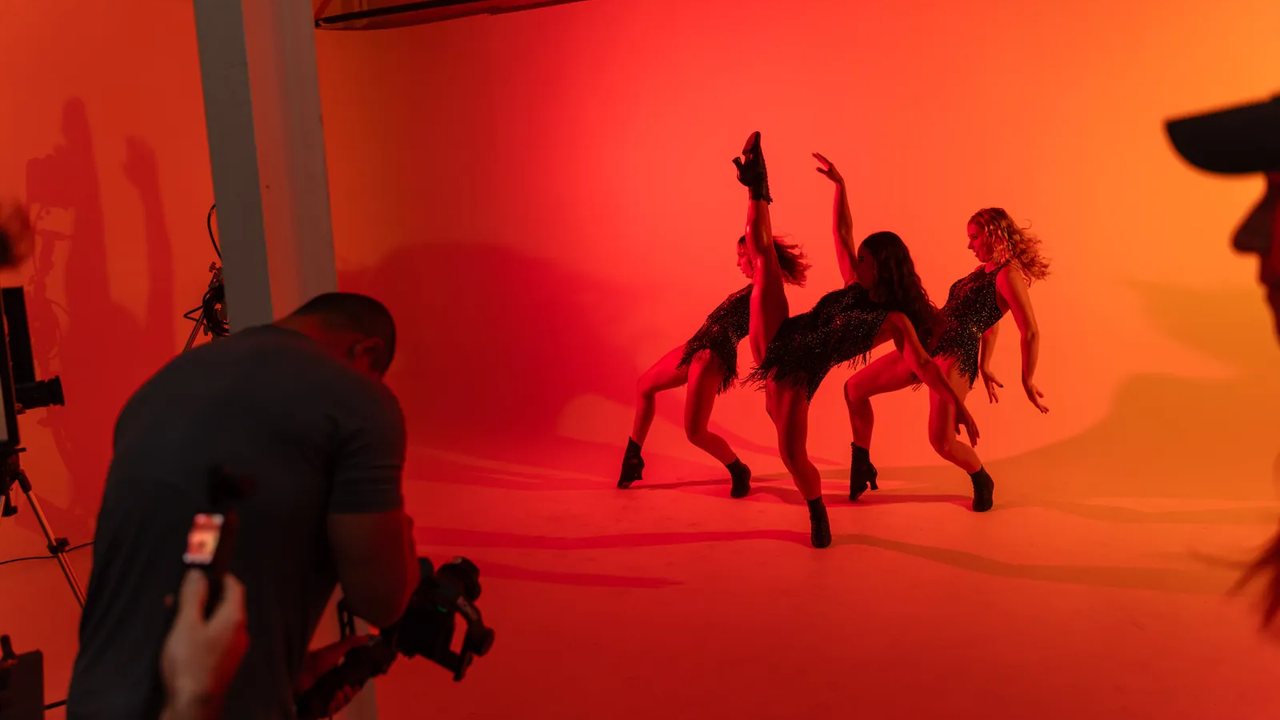
Planning a video shoot means locking six things before anyone picks up a camera: the objective, brief, shot list, run sheet, people and location. Do that the week before and the crew arrives with a plan to work through.
This guide is the pre-production checklist we run on our own shoots: what goes in the brief, how to build a shot list and run sheet, what to confirm the week before, and how the plan absorbs what goes wrong anyway. It's written for anyone commissioning or running their first proper shoot.
Why do video shoots go wrong?
Most shoot-day problems could have been caught a week earlier. They're planning gaps that surface late: a CEO who didn't know she was needed after lunch, a glass-walled boardroom nobody checked for light, or a golden-hour scene with nothing scheduled before it, so a full crew stands around waiting for the sun.
Fixing a problem in pre-production costs an email. On the day, it costs crew hours, usually the most expensive line on the invoice. After the day, it costs a reshoot, which can cost more than the original shoot did.
That's why experienced producers are boring about paperwork. The brief, the shot list and the run sheet are where problems are cheapest to fix, and this guide follows the order we build them in.
What should a video brief contain?
One page, seven things:
- The objective, meaning the commercial job the video does, such as filling a webinar or explaining a product. 'Raise awareness' isn't an objective.
- Who the audience is, and which channel they'll watch it on.
- The key message: the one thing a viewer should remember. Just one.
- The deliverables, each with a duration and an aspect ratio. 'A video' isn't a deliverable. 'One 90-second hero and three 30-second verticals' is.
- Two or three references to work you like, each with a line on why.
- Constraints such as budget, deadline, brand rules and anything that can't appear on screen.
- Who signs off, and who has the final word when opinions differ.
The deliverables line decides your budget more than any other, because it sets the edit scope and how much coverage the shoot needs. If you're weighing what those choices cost, our guide to what production actually costs breaks them down.
How do you build a shot list?
Work backwards from the deliverables. For each finished asset, list the shots it needs, then merge the lists and strip the duplicates. Every line should carry five things: what's in frame, the shot size (wide, mid, close), where it happens, who's needed, and a priority.
Priority is the part people skip. When time runs short at 4pm and the crew is watching you think, it's too late to decide what gets dropped. Mark every shot as must-have or nice-to-have a week earlier. Schedule the must-haves early and leave the droppable shots until the end.
Plan coverage too. For every interview, list the cutaways that will hide the edits: hands, screens, the workspace, the person walking in. A single-angle interview with no b-roll gives the editor nowhere to cut, and you'll see it as jump cuts in the final piece.
Capture a vertical version and a handful of stills at every setup, even when the current deliverables don't require them. It adds minutes to the day, and those assets can keep working for months. If you're planning to cut a whole month of content from one day, our short course on the batch content day covers the extra planning involved.
What goes in the run sheet?
The run sheet turns the shot list into a day. It blocks every hour, including the unglamorous parts: gear in, setup, shooting blocks, the meal break, pack-down and wrap. A simplified example:
| Time | Block | Who's needed |
|---|---|---|
| 8:00 | Crew in, build setup A (office) | Crew |
| 9:00 | Founder interview (must-have) | Founder |
| 10:30 | B-roll, verticals, stills in setup A | Crew |
| 11:15 | Move and build setup B (floor) | Crew |
| 12:00 | Team scenes (must-have) | Team of four |
| 13:00 | Lunch and buffer | All |
| 13:45 | Product close-ups (droppable) | Crew |
| 15:30 | Pickups from the drop list | As needed |
| 16:30 | Pack down, wrap by 17:30 | Crew |
Sequence the day by setup rather than story order. A location move with lighting costs 30 to 45 minutes, and the edit doesn't care what order the footage was captured in.
Schedule people tightly and shots loosely, because talent should know exactly when they're needed and nobody's best take happens in hour three of waiting. Put phone numbers on the sheet for crew, talent, the location contact and the decision-maker, so most questions on the day get answered with 'it's on the sheet'.
What do you lock in the week before?
The final week is for confirming what's already planned. The checklist:
- Confirm the location in writing: access times, parking, power, lifts and who holds the keys. Recce it in person, or at minimum get current photos and a video walkthrough.
- Send talent their call times and wardrobe notes (plain mid-tones, no fine patterns or big logos), and get a phone number for each person.
- Sort out permissions, starting with anything that has a lead time: building management, site inductions, council permits for public space.
- Pack spare cards and batteries, plus a backup audio recorder.
- Give every exterior scene an interior alternative, written down before the forecast forces the decision.
- Re-send the brief, final shot list and run sheet to everyone two days out, so questions come up while they're still cheap to answer.
What still goes wrong, and how does the plan absorb it?
Something will change on the day: a speaker cancels, the weather turns, or the quiet room you scouted has a jackhammer next door. A good plan has slack built in for exactly that.
The slack comes from decisions made in advance: must-have shots scheduled early so the droppable ones sit last in the run sheet, a buffer block after lunch, a written weather alternative, and one client-side decision-maker on set with the authority to cut scope on the spot.
That last one matters most. When a call has to be made at 2pm, 'let me check with the team' can cost the afternoon, which is when the nice-to-have shots are scheduled.
You can tell pre-production worked when the shoot day feels uneventful. People arrive knowing their job and the blocks finish on time. If a reshoot does become unavoidable, the shot list tells you exactly what's missing, so you rebook an hour rather than a day.

Rather have this done for you?
Tell us what needs filming and when you need it. We'll plan the day around it and reply within one working day.
Questions we actually get
How far in advance should you plan a video shoot?
Allow two weeks for a straightforward shoot. That gives you time to finish the brief and shot list, confirm the location and build a proper run sheet. Add lead time for anything with dependencies, like talent availability, council permits, custom props or multiple locations. Approvals and access usually take longer than booking the crew.
What is pre-production in video?
Pre-production covers everything before the camera rolls: defining the objective, writing the brief and the script or question list, building the shot list and run sheet, casting, scouting locations, arranging access and permissions, and scheduling people. Most shoot problems are cheapest to fix at this stage.
How long is a typical video shoot day?
A typical shoot day runs for eight to ten hours, including setup and pack-down. Half days exist, but setup and pack-down don't halve, so a half day buys you less than half the shooting time. That's why fitting one extra planned setup into a full day is usually better value than booking a second half day later.
Who should be on set from the client side?
One person with the authority to make decisions. Questions come up on every shoot, from swapping a shot to dropping a scene. If each answer needs a committee, the crew waits while the budget burns. Brief the wider team before the day, then leave the on-set calls to that one person.
Do I need a script?
For a presenter piece or anything with precise claims, yes, and have compliance read it before the shoot rather than after. For interviews and founder stories, no: a question list gets more natural answers than a memorised script. Our guide to interviews on camera covers that approach.
Keep reading
Field note from the Log: how to brief video production
Facts and pricing last verified July 2026. Written by the Visual Lab studio.